Adding a Radio to an Account
At this time iShareRadio shares Flex radios. The radio must be configured for SmartLink before you add it to the Hub. You register the radio with your SmartLink credentials. Operators who book the station do not see those credentials.
IMPORTANT: Add the radio in the 'space' where it will be used. Look at the tab(s) on the top right of the web page.
- Host for a personal Friends and Family station
- The club's tab for a club station.
See The Website's Host and Club Tabs for examples of the tabs you will see.
You can add your radio to multiple accounts! This way it can be shared and managed in multiple accounts.
Add the radio
- Confirm SmartLink is working on the radio, using Automatic (UPnP) or Manual (port forwarding). Manual port forwarding is the more reliable option. See SmartLink.
- Sign in and select Host or the club tab.
- Go to Settings → Devices and select Add Device.
- Select Flex from the pull-down.
- Add the radio using your SmartLink credentials.
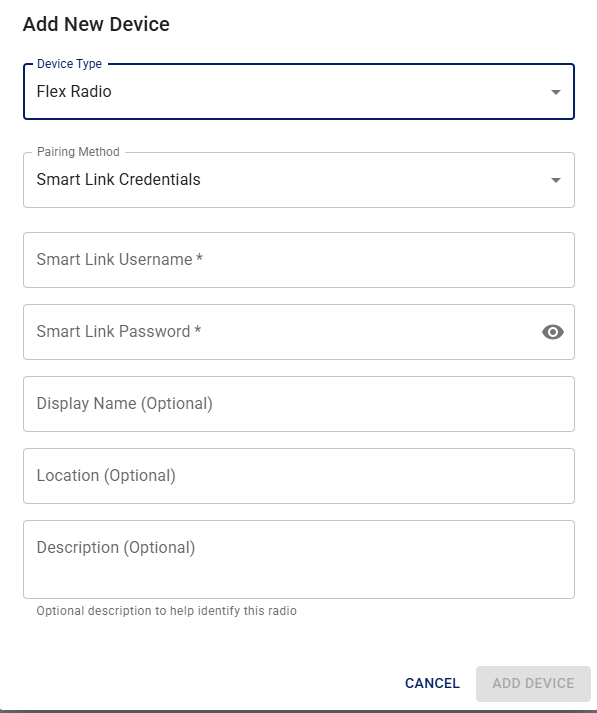
- Enter your SmartLink credfentials.
- Give the radio a display name so you can tell it apart if you register more than one. If you are registering this radio for a club, this is the name that members will see in the Offering.
- Location is optional but suggest entering the radio's grid square location.
- Descriptionis also optional but does show up for operators using the radio, so information like model numberm if using a internal or external tuner, antenna, etc.
Once the radio is added to the account, you will see a status panel. A green dot in the upper right indicates that the radio is online.
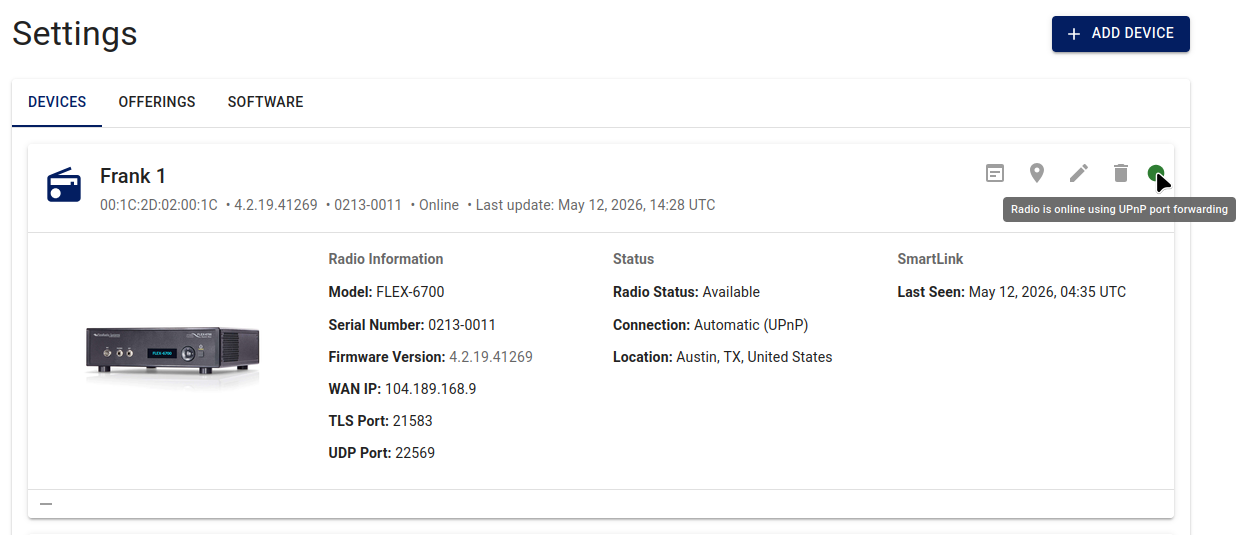
You can also see the SmartSDR version to use with the radio on the device card, and on an Offering under the rate in the Details column.
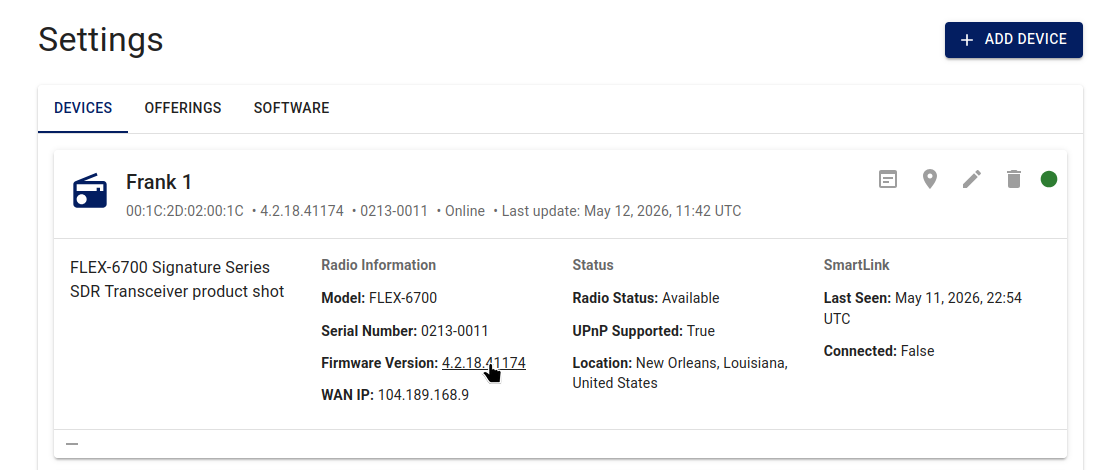
Operators cannot change the radio's firmware! The owner who registered the device can still update firmware through normal SmartSDR and radio maintenance outside iShareRadio.
Confirm the device shows online before you create an Offering.
Next
- If starting a Friends and Family account, go to Creating a Friends and Family Offering
- If starting a club, go to Creating a Club Offering