Creating a Friends and Family Offering
An Offering is how you share your shack. Depending on your plan, you can create more than one Offering that includes the same equipment.
- Go to Settings → Offerings and create a new Offering.

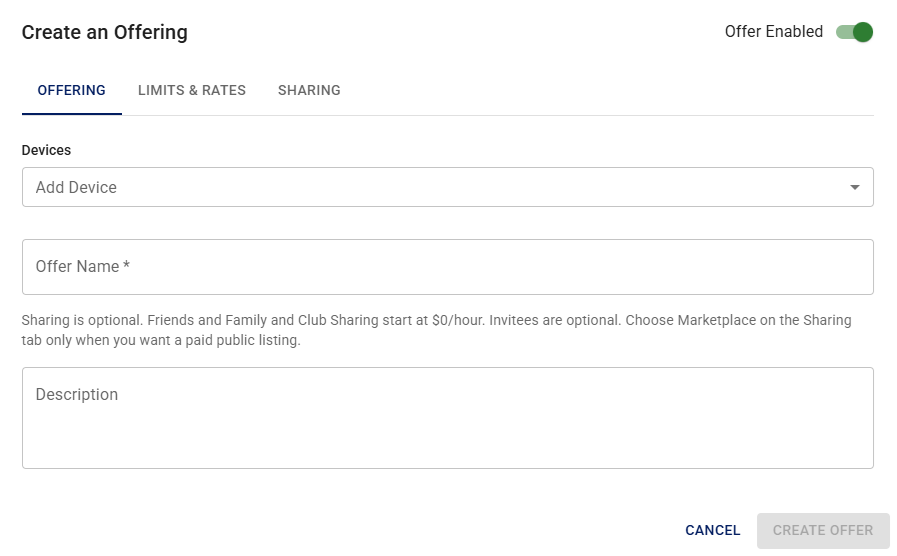
- Select your radio as the device from the pulldown.
Example: 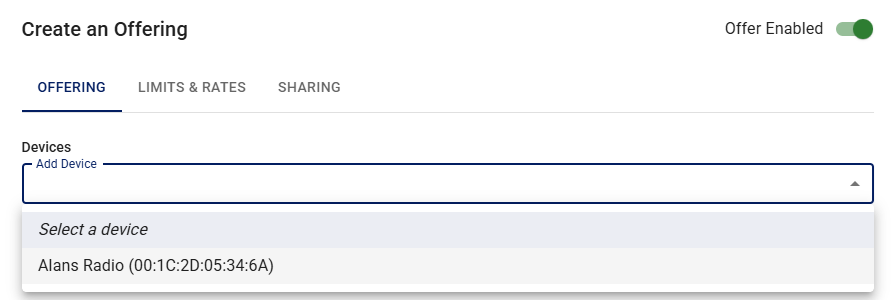
- Give your offering a name. For example, "Alan's Radio for Friends".
- Add a description if you want. If you have time of use limits, duration limits, etc, it is good to not e them here to operators know what comes with the offering.
-
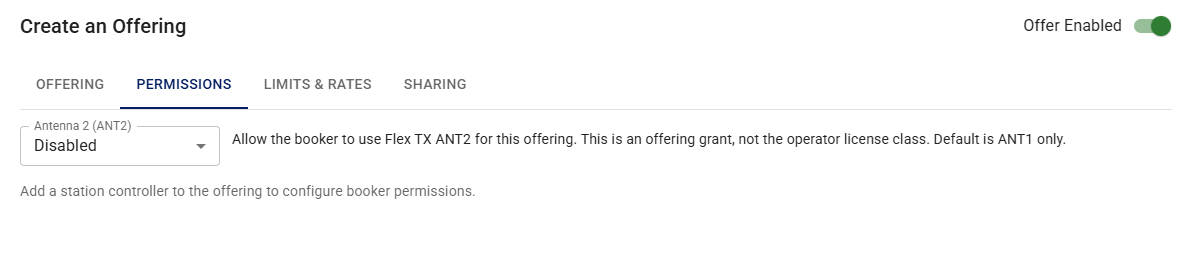
Select the Permissions tab. Here you can inhibit transmit on the radio's antenna 2 port (the default), or allow it. If a Station Controller is included in the Offering devices, configure what operators may hide, view, or control. See Station Controller in an Offering. You can also save the radio's current setup so each operator starts from that state. See Saved radio state.
-
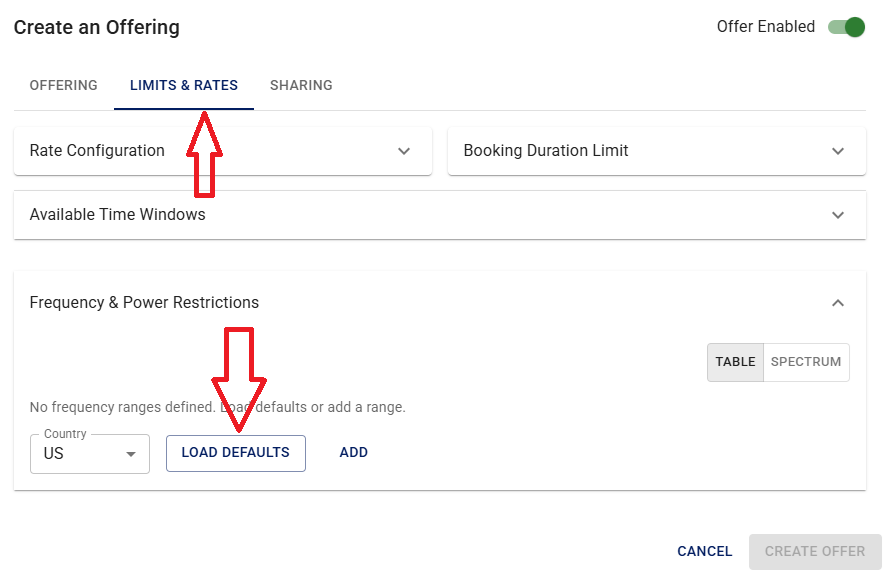
Select the Limits and Rates tab.
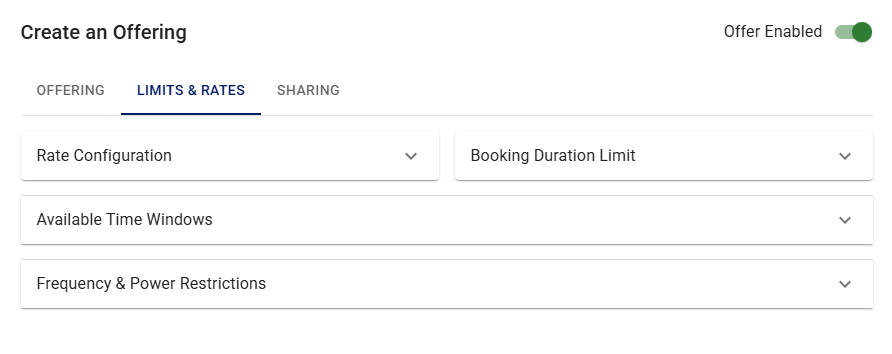
- Enter a maximum duration for a person to use your radio at a time. For example, 90 minutes.
- Enter one or more time windows when your radio will be available, or leave this blank for always available.
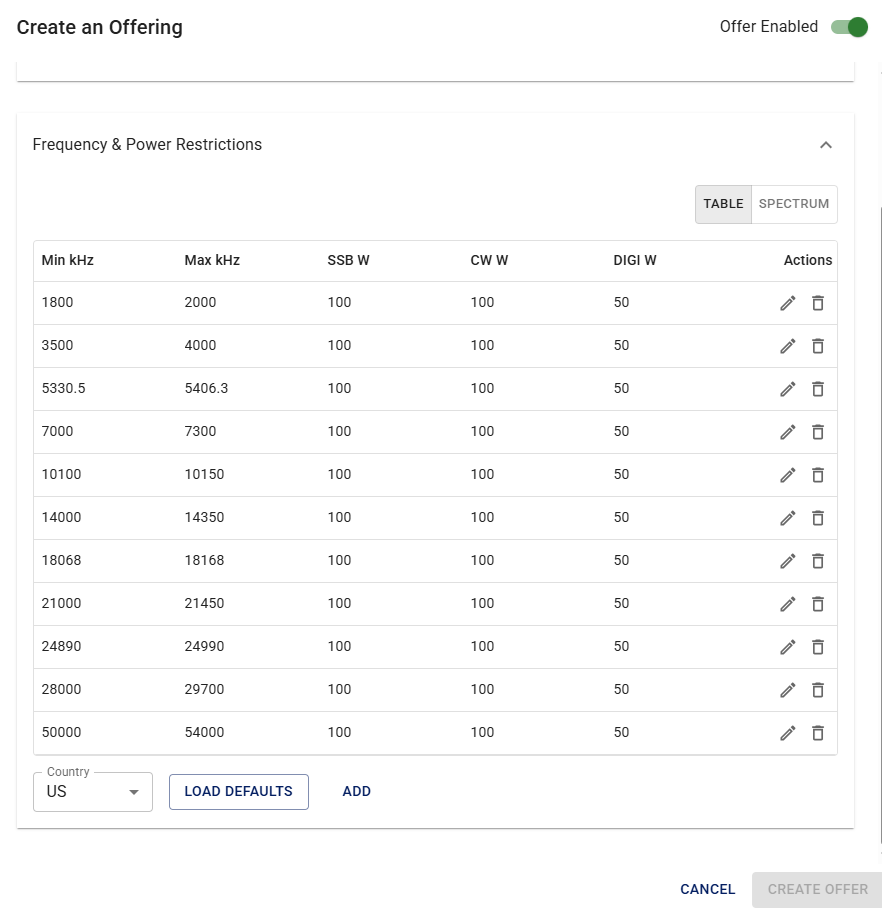
- Open Frequency & Power Restrictions, then select Load defaults. Edit the values as desired. For example, if your antenna is only good for 20 meters, delete all entries except 20 meters. The system already limits use by the operator's license class.
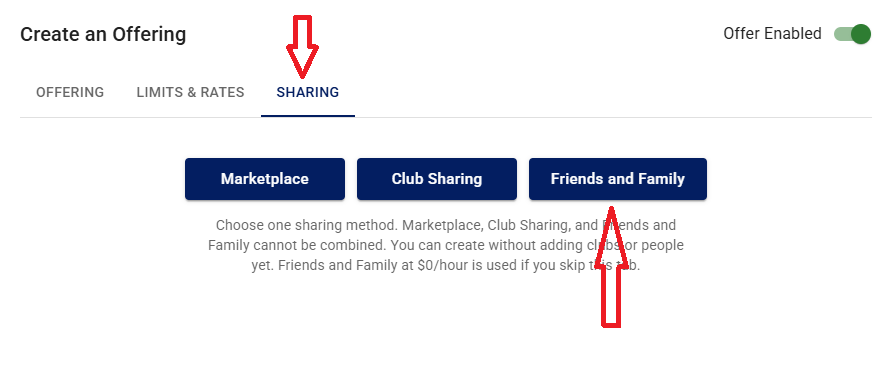
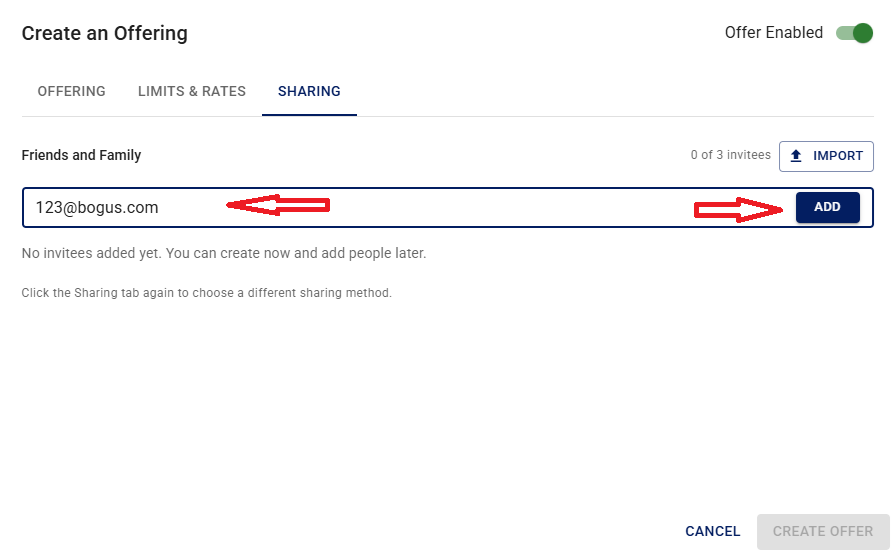
- Add your friends and family by sending them an invite. If they are already registered with iShareRadio, use their account email address. Otherwise, use their email address and they will get an invitation to join iShareRadio. There is no cost for your friends and family to join and use your Offering.
Next
To see what a recipient of an invite should expect, go to Operating a Friend's Radio.