Station Controller in an Offering
If an Offering includes a Station Controller, the owner sets what an operator may hide, view, or control for that Offering. Include the Station Controller as a device on the Offering tab, then open the Permissions tab.
The Permissions tab has a pull-down for the Station Controller. The list of modules depends on how many Station Controller modules you have installed.
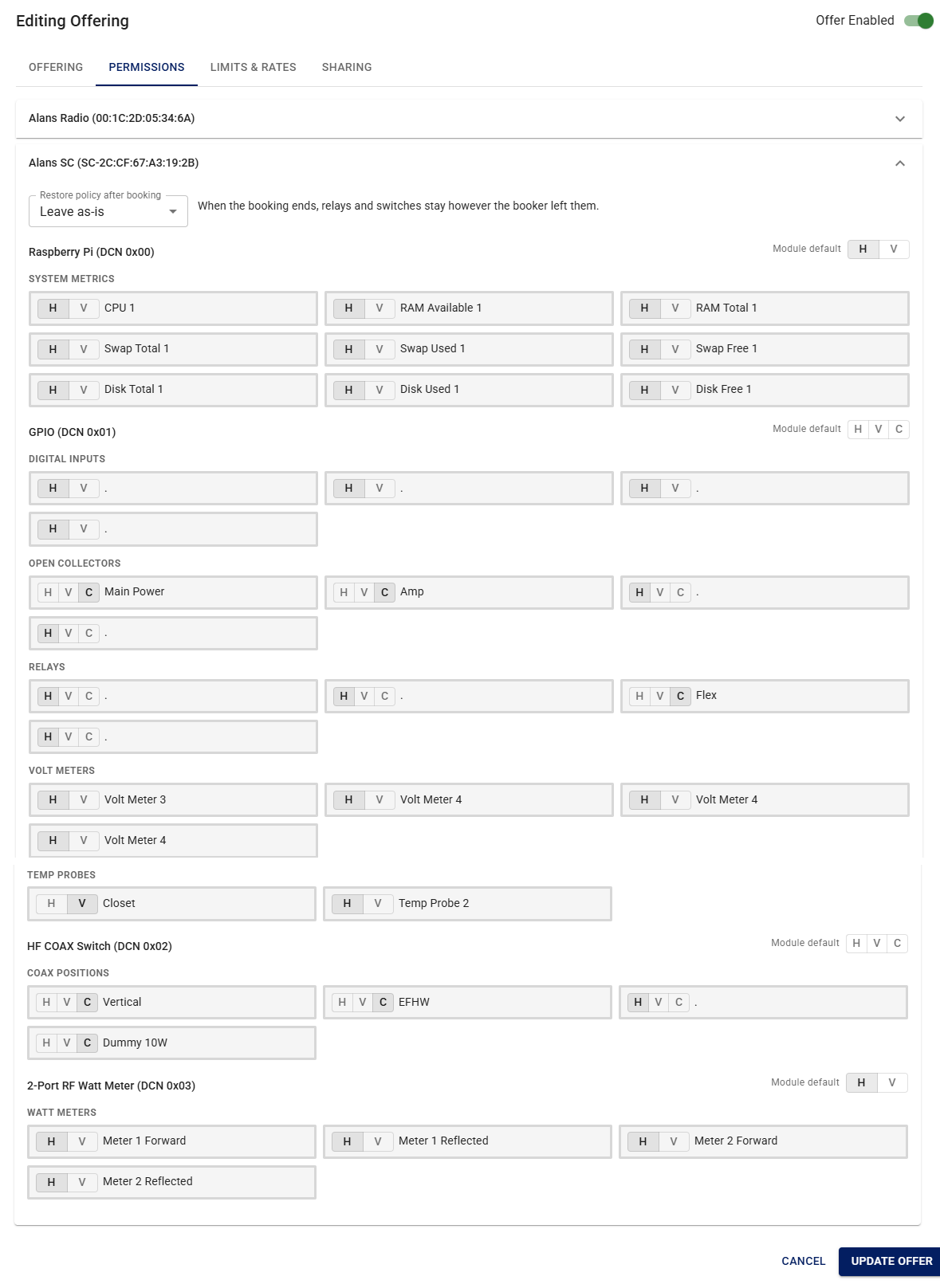
For each module, and for each input, output, or reading on that module, select:
- H — Hide. The operator does not see this item.
- V — View. The operator can see the value or state, but cannot change it.
- C — Control. The operator can see it and change it (relays, switches, and similar controls).
Not every item offers Control. System metrics and meters are typically Hide or View only. Relays, open collectors, and coax switch positions can be set to Control.
You can set a module default (H, V, or C) for a whole module, then override individual items.
Restore policy after booking controls what happens to relays and switches when the booking ends. For example, Leave as-is keeps them in whatever state the operator left them.
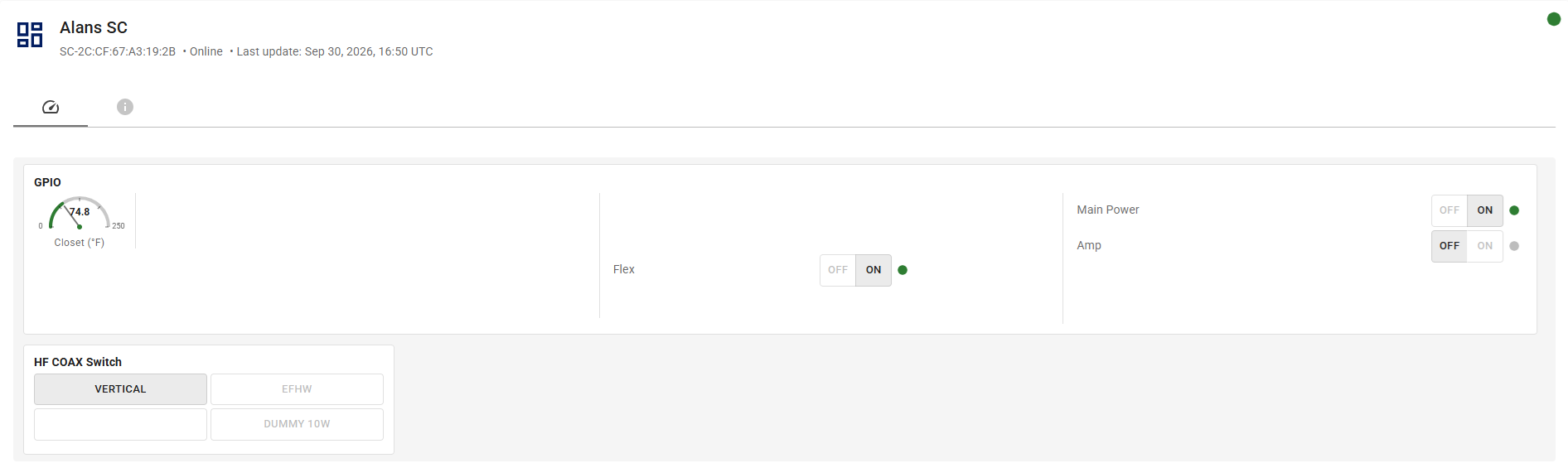
When an operator opens a session on this Offering, the session panel shows only the Station Controller features you allowed them to see or control.
See also Creating a Friends and Family Offering and Creating a Club Offering.