Rotators
iShareRadio can show and control an antenna rotator from My Shack or during an operating session. The rotator card includes a compass-style dial that shows the antenna's current direction.
When control is available, select a direction on the dial to turn the antenna. The dial continues to show the reported direction while the antenna moves. Any restricted parts of the rotation are marked on the dial and cannot be selected.
The station owner can align the compass ring with the antenna installation. During a shared operating session, this alignment is visible to the operator but remains under the owner's control.
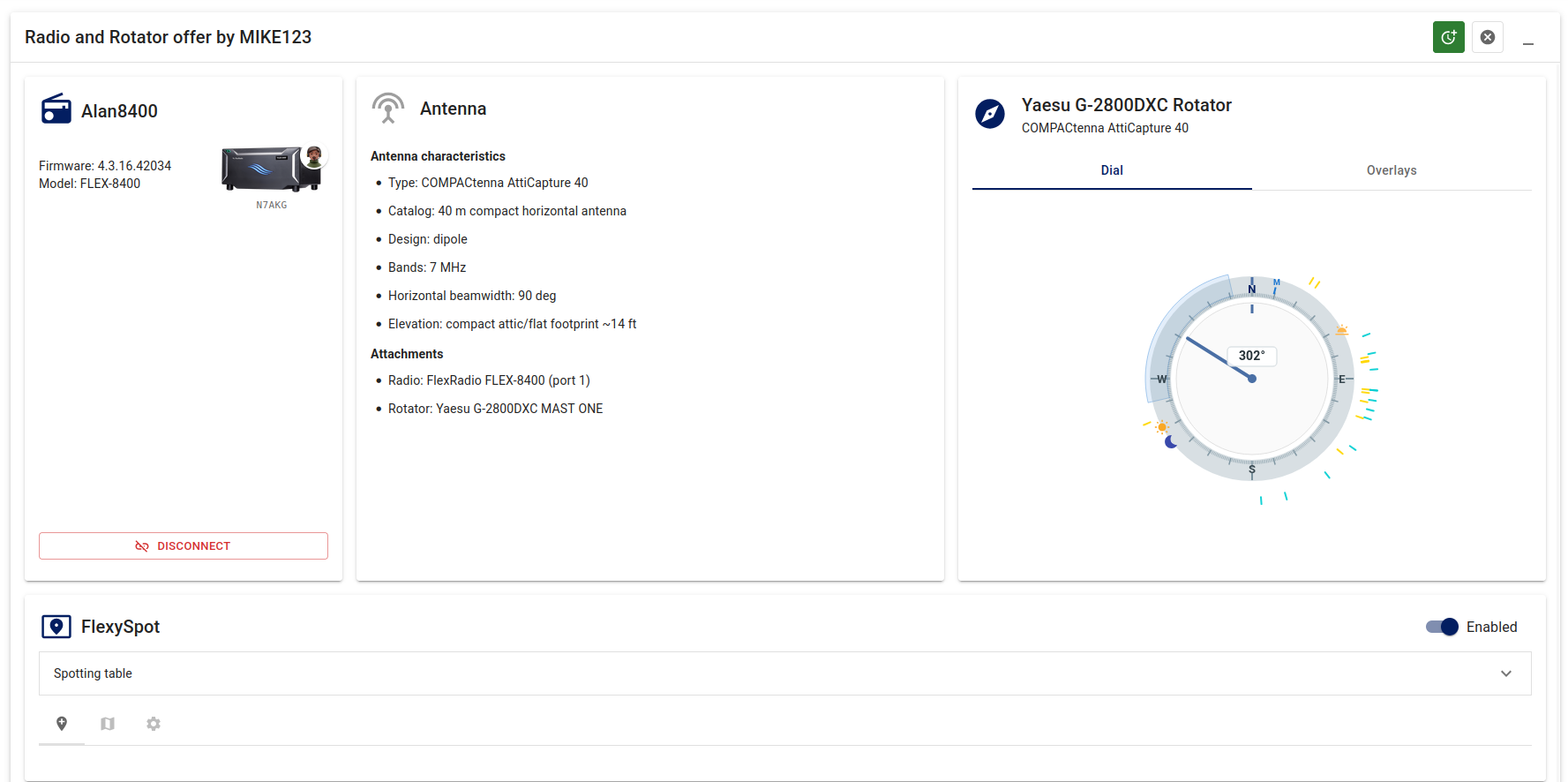
Rotators and FlexySpot work together
The FlexySpot overlay complements FlexySpot; it does not replace it. FlexySpot supplies the live spots, while the rotator dial shows their directions around the compass. Selecting a spot marker can turn the antenna toward that station and keep the selection in step with the FlexySpot panel.
Spot overlays
The rotator dial can place live FlexySpot spots around its outer edge. This makes it easy to see which stations are in the same general direction before turning the antenna.
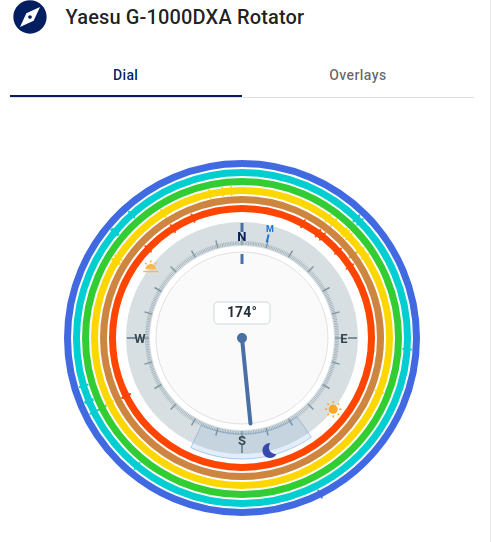
Spot markers use the same familiar source colors as FlexySpot. You can choose which spots appear on the dial, including filters for source, band, mode, and age. The dial can use your FlexySpot filters, use its own filters, or follow the band currently being operated during a session.
Only spots with enough location information can be placed on the compass. Some locations are approximate, so treat the indicated direction as operating guidance rather than a surveyed bearing.
Antenna direction
When the rotator is associated with a directional antenna, the dial can show the antenna's approximate beam width. The shaded area follows the live heading and gives a quick view of the area covered by the antenna.
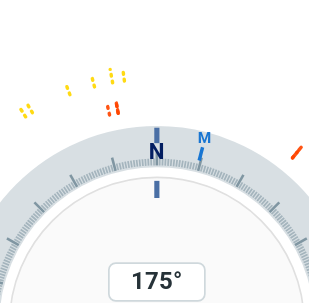
An optional magnetic-north marker can help compare true headings with a local compass. This marker may change with the station's location and over time.
Operating sessions
During a booking, the rotator card shows the controls and information made available by the station owner. If FlexySpot is included in the session, its spots can also appear on the rotator dial.
The radio card can show the current operating band. When the dial is set to follow the operating band, its spot markers update as the operator changes bands.
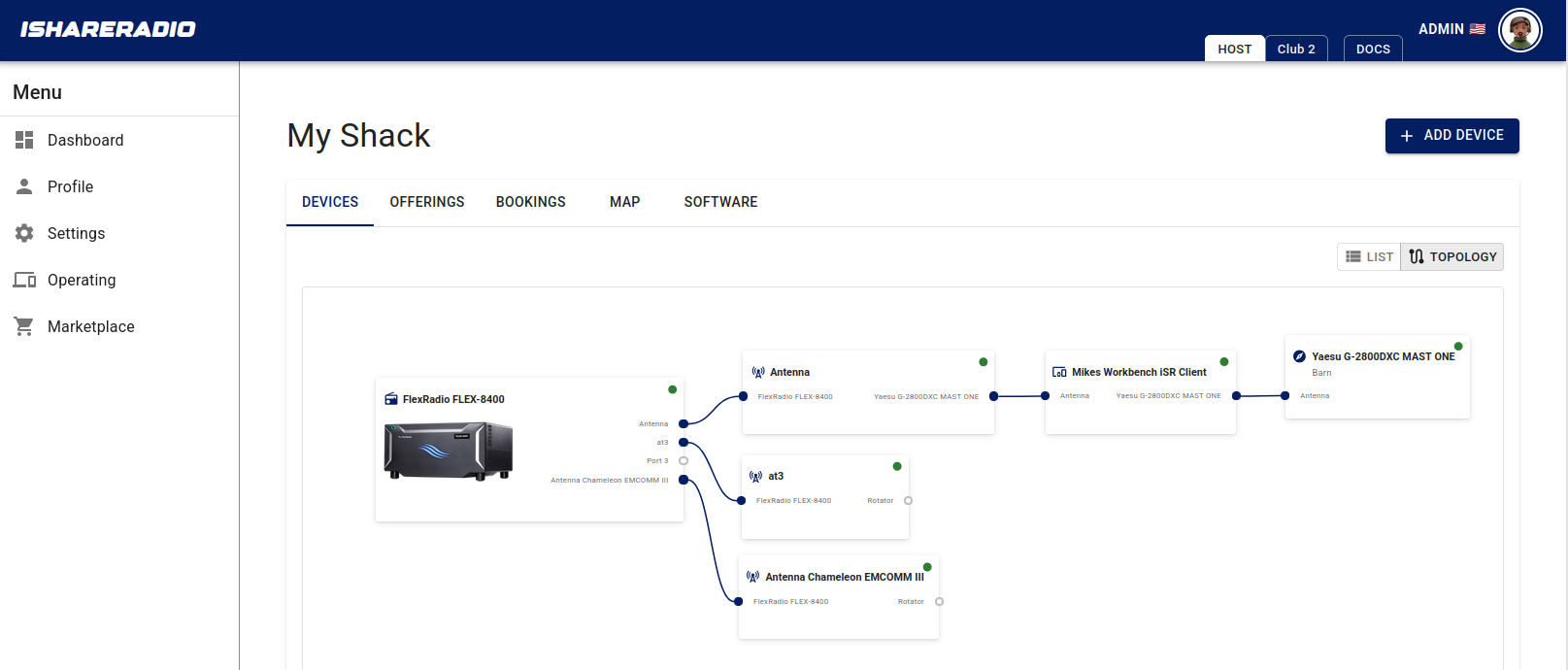
If a station does not provide a required device, location, antenna detail, or FlexySpot feed, the rotator still works as a basic direction dial. Options that are not available are hidden or shown as unavailable.
Personal settings
Open the settings wheel on the rotator card to choose the dial information you want to see. These choices are saved to your iShareRadio account and apply when you use other rotators.
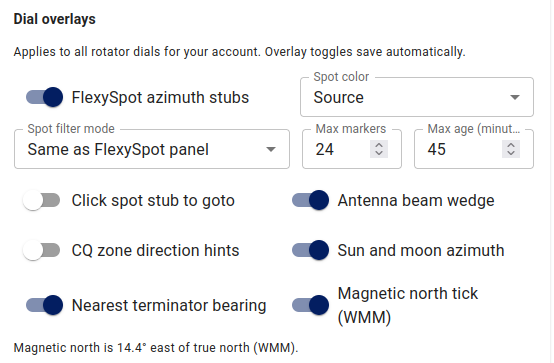
You can keep the dial simple or add the information that is useful for the way you operate.