FlexySpot
FlexySpot aggregates spots from several spotting services and displays callsigns and metadata on the SDR's panadapter. Hover over a spot on the panadapter to see its details.
Once you have opened a session, you can enable FlexySpot for that session. Turn the Enabled control on. When it is enabled, the FlexySpot panel appears with the current spots.
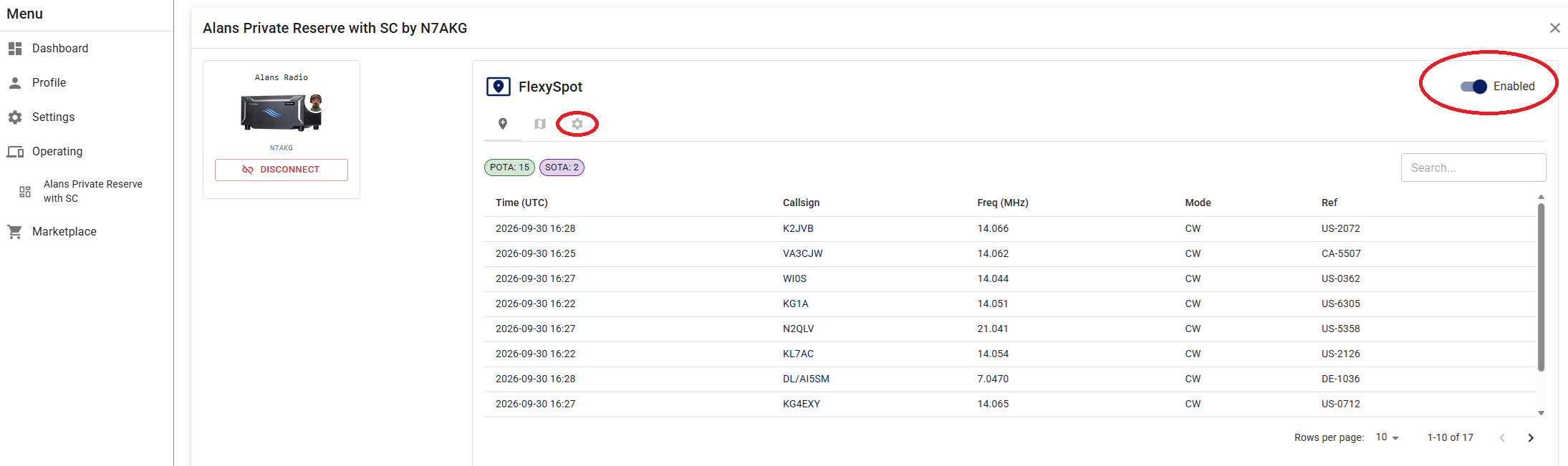
Select the settings wheel to configure FlexySpot. Configuration is saved in your iShareRadio account, so the same sources, bands, and limits apply the next time you operate.
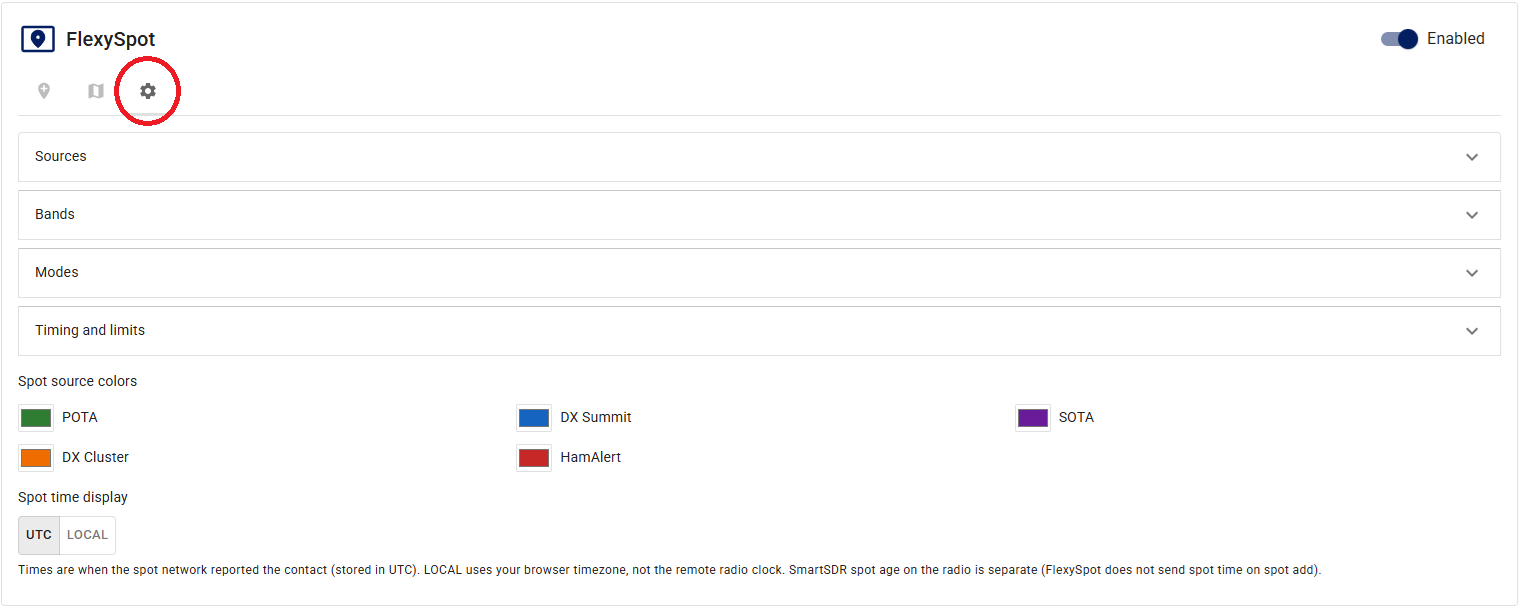
Configuration
Open Sources, Bands, Modes, and Timing and limits to set what FlexySpot collects.
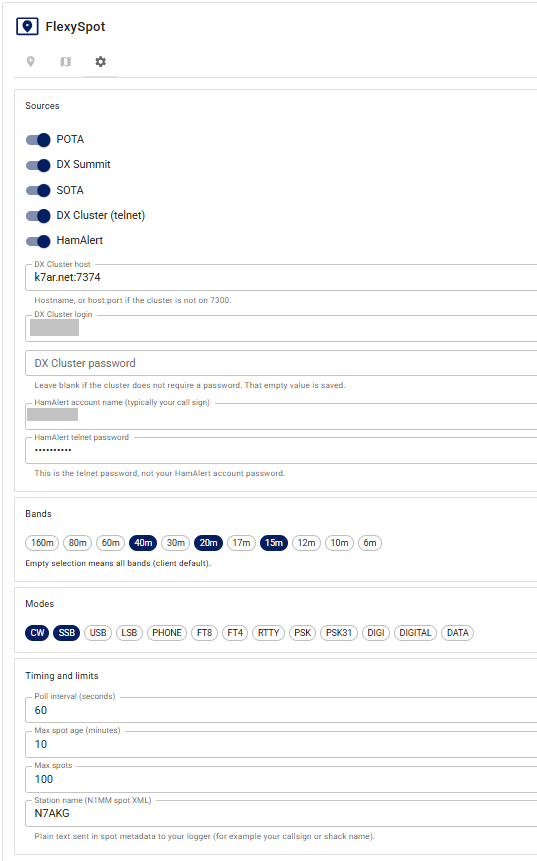
Sources
Turn on the services you want to include:
- POTA
- DX Summit
- SOTA
- DX Cluster (telnet) — a Spider-style cluster. Enter the cluster host as
hostnameorhostname:port. If you omit the port, the client uses 7300. Enter the cluster login and, if the cluster requires it, the cluster password. Leave the password blank when the cluster does not need one; that empty value is saved. - HamAlert — enter the HamAlert account name (typically your callsign) and the HamAlert telnet password. That is not your HamAlert website account password.
Bands
Select the bands you want spots for. An empty selection means all bands (the client default).
Modes
Select the modes you want spots for, such as CW, SSB, or FT8.
For some sources, mode is an optional field that the spotter may leave blank. FlexySpot ignores the mode filter for those sources so spots are not dropped just because mode was not filled in.
Timing and limits
- Poll interval (seconds) — how often FlexySpot refreshes spots.
- Max spot age (minutes) — spots older than this are not shown.
- Max spots — the maximum number of spots kept in the list.
- Station name (N1MM spot XML) — plain text sent in spot metadata to your logger, for example your callsign or shack name.
Spot source colors on the settings page match how those sources appear on the panadapter. UTC and LOCAL control how spot times are shown in FlexySpot. LOCAL uses your browser timezone, not the remote radio's timezone. SmartSDR's own spot-age display on the radio is separate; FlexySpot does not send spot time on spot add.