Club Invitations
Accepting an Invitation
Club owners and admins invite people by email. If you are new to the Hub, the email helps you register; if you already have an account, you sign in and accept.
You will find pending invitations on your Profile page.
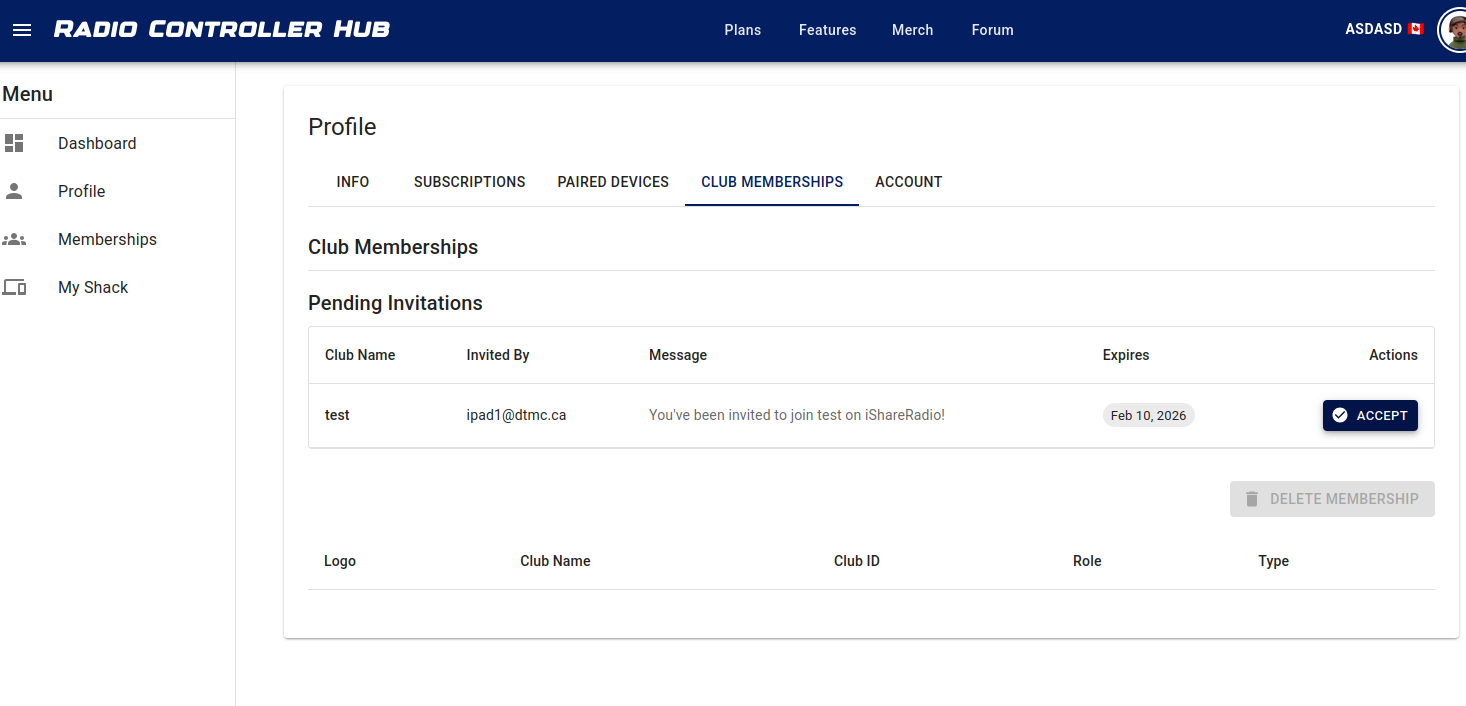
Accept when you are ready. After you join, select the club in the header to see its stations and offerings.
You do not have to accept every invitation. If you do, you can book offerings that club makes available to you.
Sending an Invitation
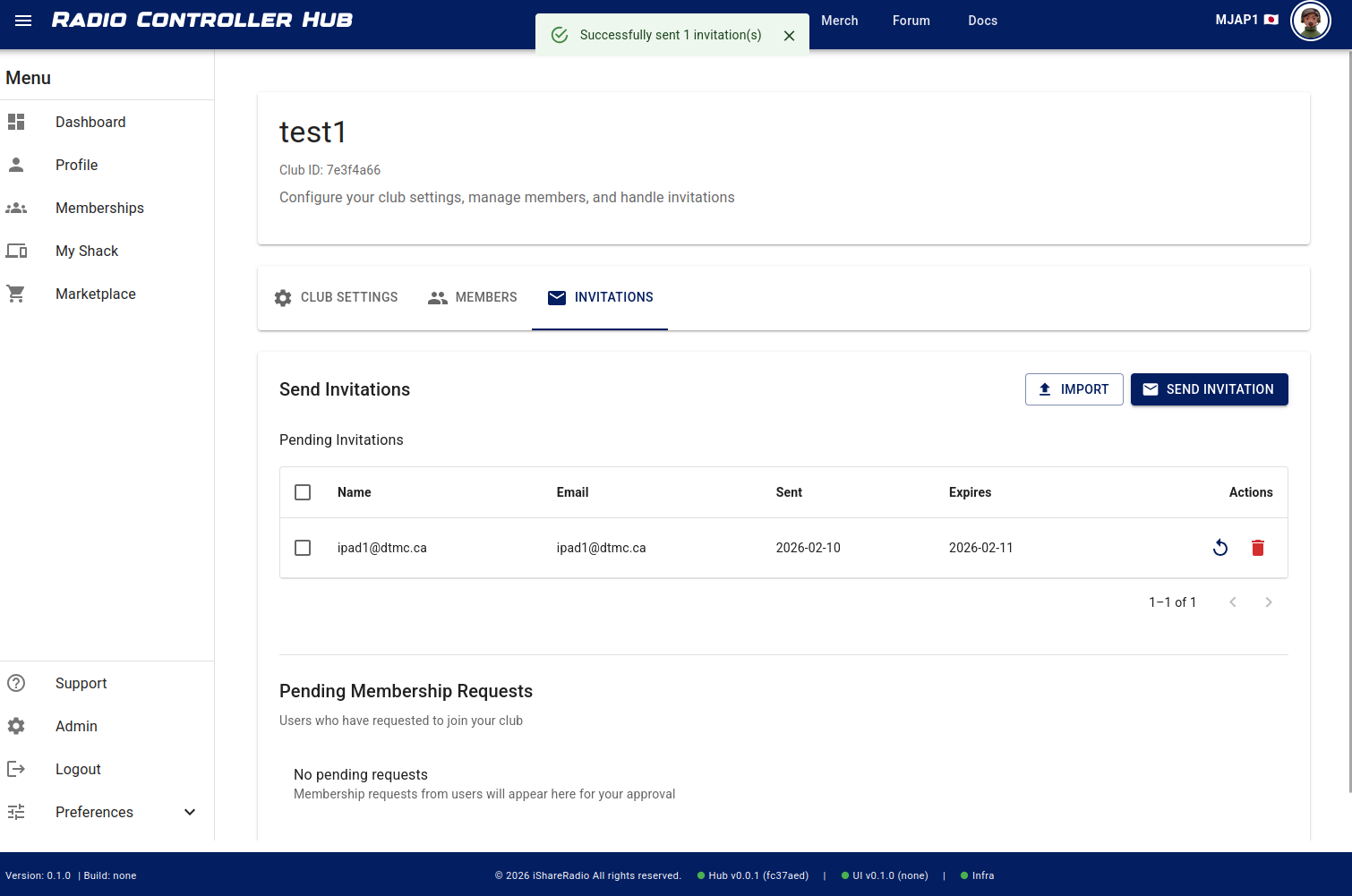
Send invitations from the club Invitations area. You can invite one or more people by email address.
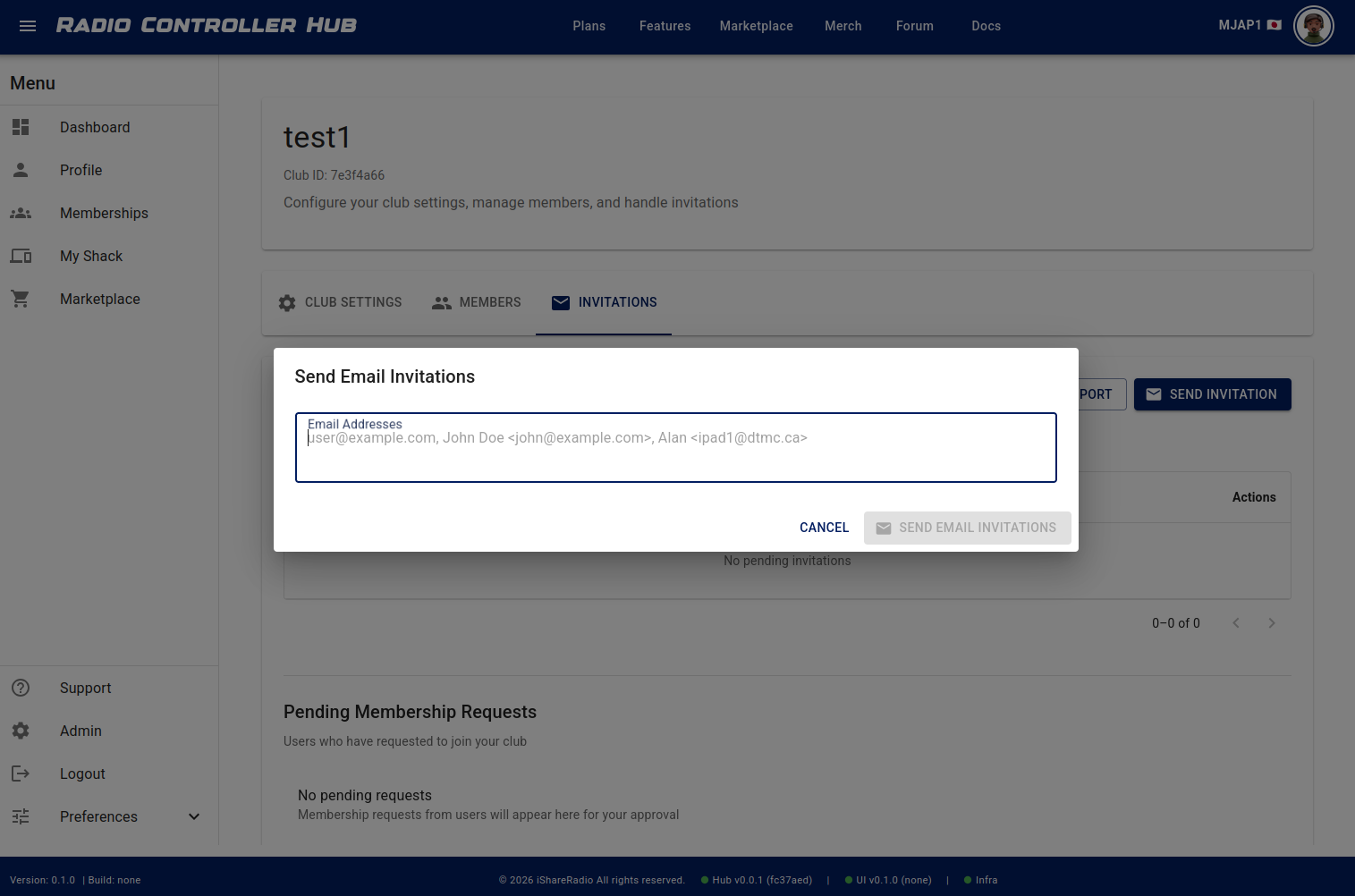
You can paste addresses from an email or type them in.
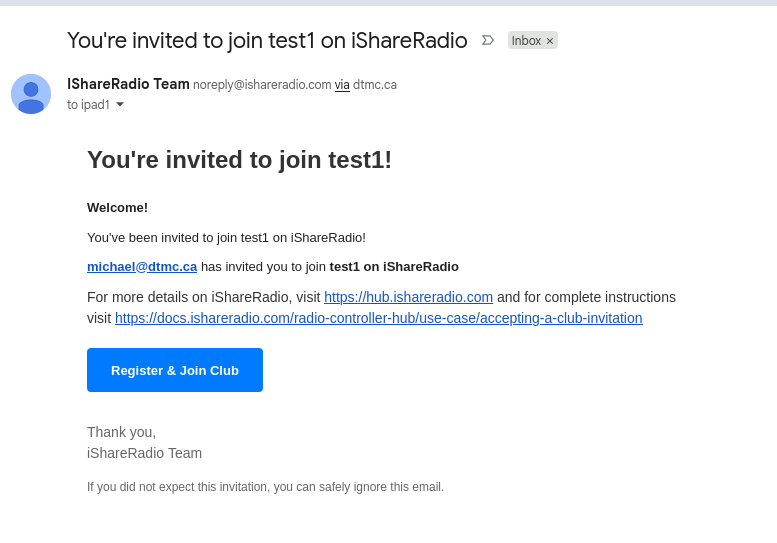
Once the emails are sent, recipients see a message in their inbox. New users see Register & Join; existing members see Join.
Member seat capacity for the club is a club-plan limit managed by owners and admins—not something invitees configure on My Shack.