Creating a Club
A club is a separate entity in iShareRadio. It is separate from the account that creates it, and it can be managed by any club members who are given administration privileges. A registered iShareRadio account creates the club and, by default, becomes the first owner. A club can have only one owner at a time, but ownership can be transferred to any other member when needed.
Think of the owner as the super administrator of the club. The owner always remains an administrator, so you cannot accidentally leave the club with no administrator and lock yourself out of managing it.
The following are the minimum steps needed to create a club.
-
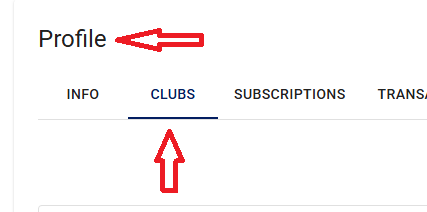
Go to Profile → Clubs, then select Create.
-
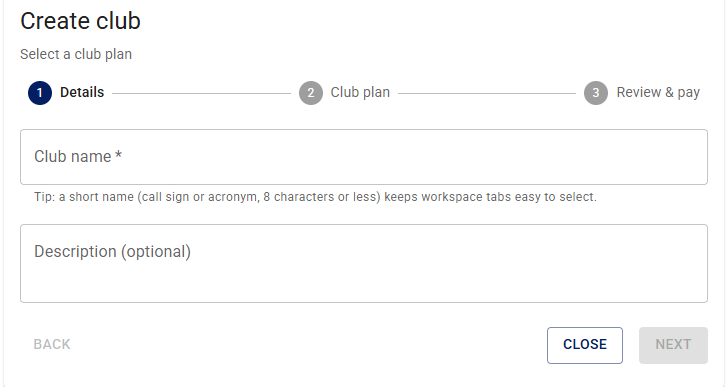
Give the club a short name. This is the name used on the website tab. For example, use club initials such as HARC, or a callsign.
-
Add a description of the club, then press Next.
-
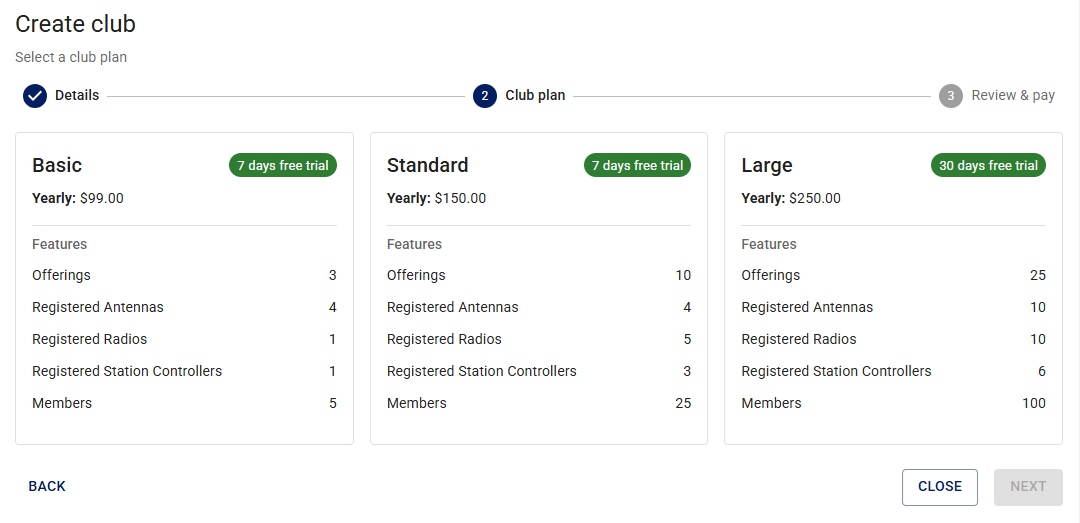
Sign the club up for a plan. You can start small and upgrade as needed. You can also use add-on features to add specific capabilities, such as more registered radios, at a much lower cost than moving to the next subscription tier.
-
Once you select a plan, you will see the paywall.
-
When you are done, the club appears as a separate tab on the website. Do all club activity in this tab.