Creating an Offering
An Offering is how an individual or club shares their shack. Depending on your plan, you can create multiple Offerings that include the same equipment. For example, a club might create one Offering for members to use on weekdays and another for weekends, with different time windows, session durations, or targeted users.
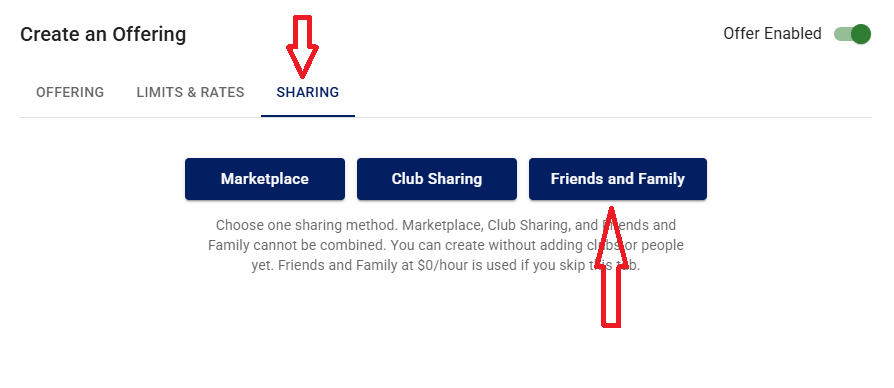
Creating a Friends and Family Offering
Go to Settings → Offerings and create a new Offering.
- Select your radio as the device.
- Give your offering a name. For example, "Alan's Radio for Friends".
- Add a description if you want.
- Select the Limits and Rates tab.
- Enter a maximum duration for a person to use your radio at a time. For example, 90 minutes.
- Enter one or more time windows when your radio will be available, or leave this blank for always available.
- Open Frequency & Power Restrictions, then select Load defaults. Edit the values as desired. For example, if your antenna is only good for 20 meters, delete all entries except 20 meters. The system already limits use by the operator's license class.
- Add your friends and family by sending them an invite. If they are already registered with iShareRadio, use their account email address. Otherwise, use their email address and they will get an invitation to join iShareRadio. There is no cost for your friends and family to join and use your Offering.
Creating a Club Offering
You need to be an Owner, an administrator, or a member who has been given a special role in the club to create an Offering.
Go to the club tab → Settings → Offerings and create a new Offering.
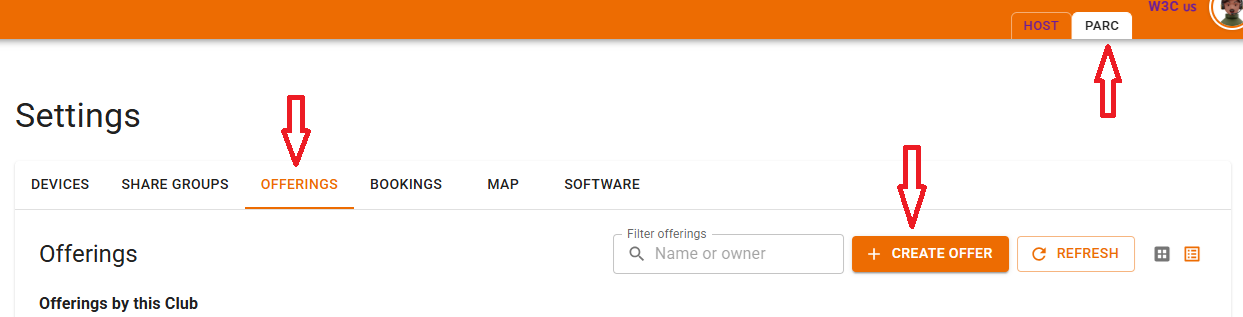
- Select your radio as the device.
- Give your offering a name. For example, "General membership".
- Add a description if you want.
- Select the Limits and Rates tab.
- Enter a maximum duration for a person to use your radio at a time. For example, 90 minutes.
- Enter one or more time windows when your radio will be available, or leave this blank for always available.
- Open Frequency & Power Restrictions, then select Load defaults. Edit the values as desired. For example, if your antenna is only good for 20 meters, delete all entries except 20 meters. The system already limits use by the operator's license class.
-
Go to the Sharing tab and select how the Offering is used in the club.
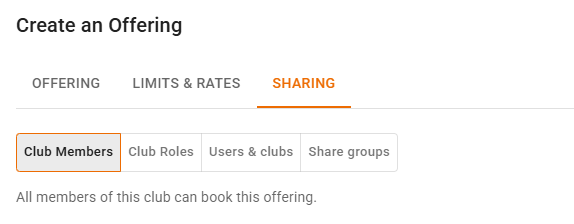
- Club Members. The default. Open to everyone with the Member role in the club. Member is the default role for operators who join the club.
- Club Roles. Restrict this Offering to members with a specific role. For example, create a role for new operators and severely restrict their operating. You can select multiple roles for the Offering, for example Novice and Member.
- Users and Clubs. Target specific people in the club who may use this Offering. You can also share the club shack with another club. You can identify multiple users and clubs.
- Share Group. Another way to target individuals and clubs while keeping the list organized and reusable. Create the Share Group first, then use it in the Offering.